
Promotional Sales Platform
Immersive Design Customization
Captivate your audience at first glance
- Full screen background video or image
- Color filters on video or image
- On-brand static wallpapers
- Simple color selection options
- Multi-color accent options
- Custom-branded short link
Why design matters
94%
of first impressions are design related
2.6X
more time spent by users on pages with videos
91%
of consumers prefer visual content over text-based or static media
Add that personal touch
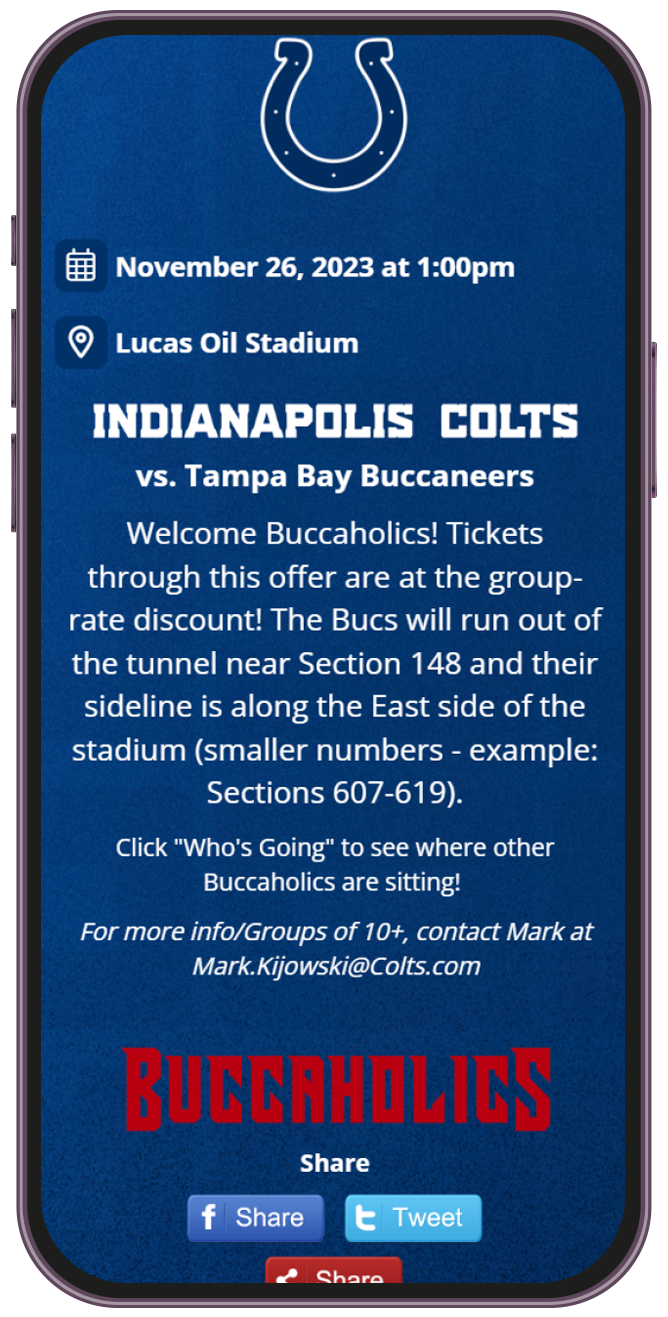
- Full customization for individual promotions
- Headers, Logos, Graphics, Videos with Sound
- Tailored designs based on inbound link source
- Complete control of widget placement
Spinzo's immersive design offers a new paradigm in the ticket sales industry. It's crucial to entice your target audience from the beginning of the buy flow in a way that speaks to them. Combine immersive design with Spinzo's affiliate link technology to create highly targeted landing pages based on demographic or segment.
For example, visitors from an Instagram promotion can be presented with a different design with different promotional copy, if you choose! than visitors from a press release. Visitors who were referred by a particular social media influencer could be shown a page branded as that influencer, to continue the design scheme and maximize conversion.
Streamline your creative process
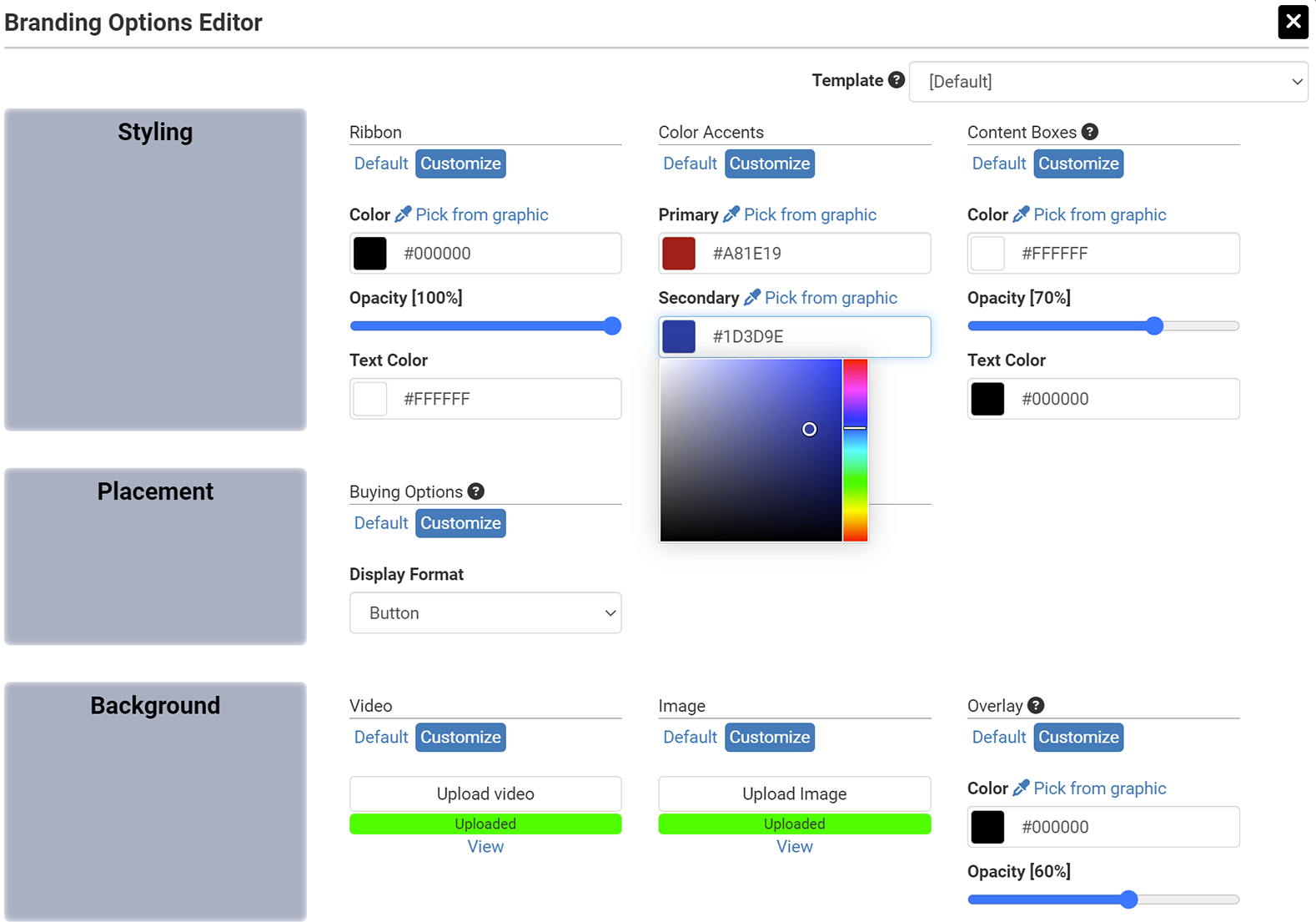
- Centralized immersive design templates
- Template selection for individual promotions
- Targeted customization options for templates
- Dynamic color picker from uploaded images
- Opacity/Transparency sliders
The side panel will turn heads
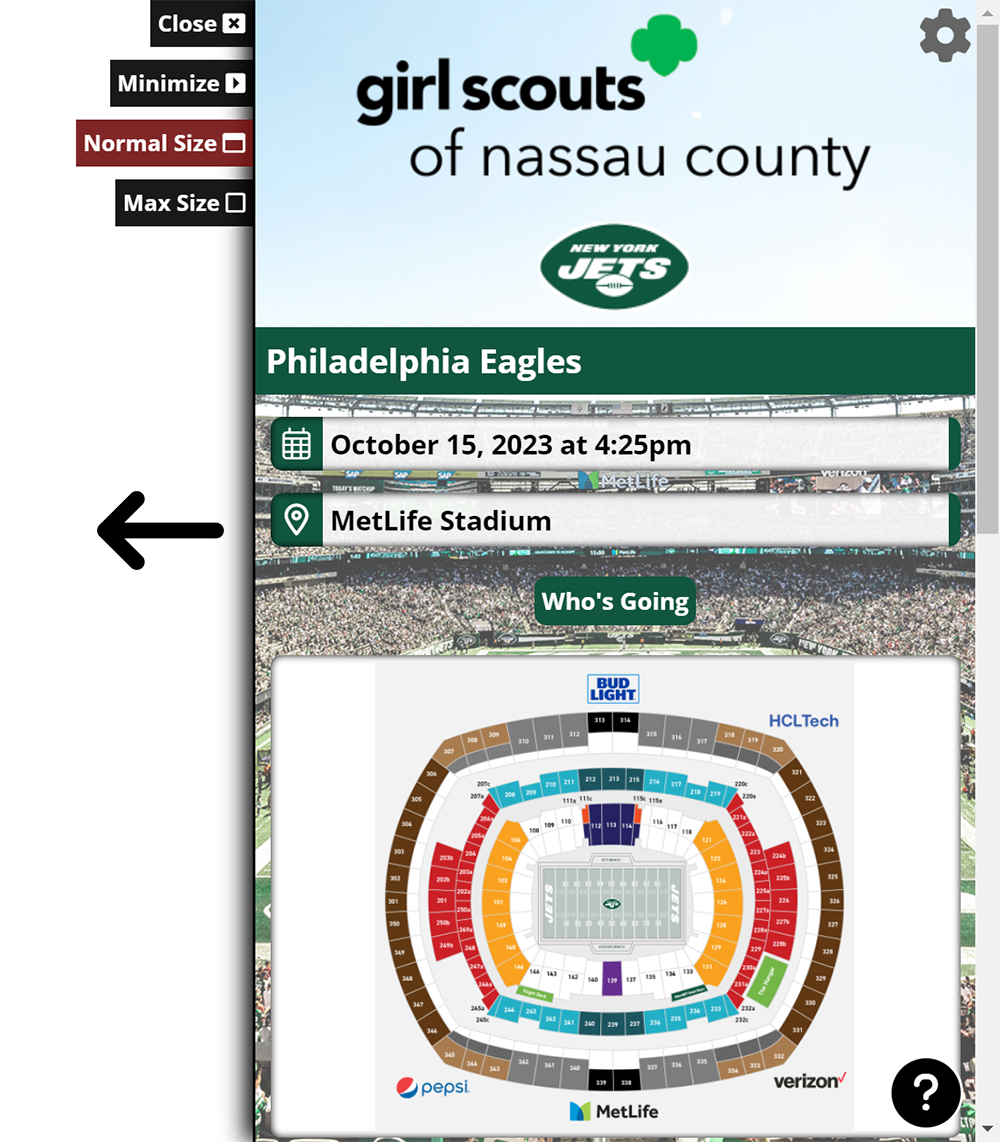
If clients prefer that the buy-flow occur on their own website, they can use the "Spinzo Side Panel". This allows you to turn any promotion into an embeddable widget on a website which pops open from the right side of the screen. Spinzo's side panel has many features:
- The underlying page that is hosting the side panel is still scrollable, while the side panel is open.
- The side panel can be minimized so that the buyer can continue to read the underlying page.
- The side panel can be maximized to a near full page experience, so that the buyer gets a more immersive feel.
- You can initialize the side panel at any point of the buy flow. For example, you can have it open on a listing page where the buyer first chooses an event, or directly to the checkout page for a fast process.
Placing it on a website is easy. There's one line of code required to initialize the side panel (to be placed on any page that will host one), then there's one line of code per side panel button.